
Typing Test Practice for Job Applications
Most typing tests for jobs belong to a vendor. Find yours, then practise that one: the scoring differs more than the typing does.
From our CritiCall practice tests. 1 of the 5 tests below is free to try with a free account. See them all
The Typing Tests Employers Use
Your invitation usually names the vendor or its platform. Each one counts speed and errors differently, so practise the test you were sent.
Kenexa Prove It Typing and Data Entry
Typing General is a passage copied for 1, 3 or 5 minutes, reported as raw words per minute, mistakes per minute and adjusted words per minute. Data Entry Alpha Numeric has you type records into a simulated database, scored in keystrokes per hour and accuracy. Now delivered by SHL.
Kenexa / IBM Talent Assessments guideHarver Typing Test
Sentences retyped exactly, each one fixed before you can move on, with arrow keys and pasting blocked. Scored in net words per minute against a norm group whose average is 38.
Harver guideCritiCall Keyboarding and Data Entry
Set for emergency call takers and dispatchers. Keyboarding is paragraph copy-typing in words per minute. Data Entry is caller records typed into a nine-field form while emergency messages interrupt, scored in keystrokes per hour.
CritiCall guideTyping and Data Entry Practice Tests
Five tests from three vendors, each built on a named employer test rather than a generic typing exercise. There is no 10 key practice yet.
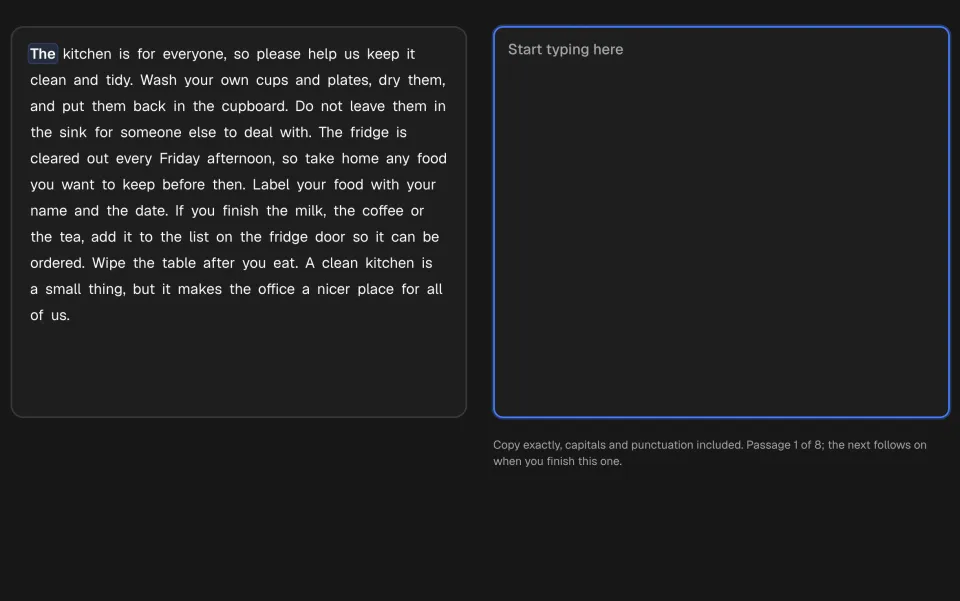
Typing General (Prove It)
Copy workplace prose for 1, 3 or 5 minutes, scored as the Kenexa report does: words per minute and adjusted words per minute, with your accuracy beside them. Capitals and punctuation count.
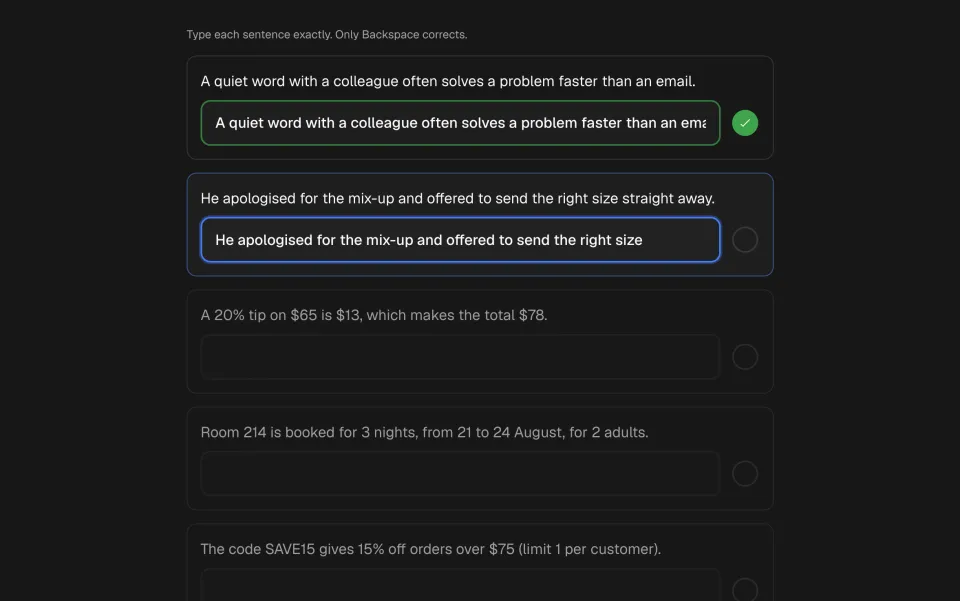
Typing Test
Retype six sentences exactly, capitals, numbers and symbols included, with Backspace but no arrows, mouse or paste. Scored as net words per minute against Harver’s published average of 38. The real test needs a keyboard.
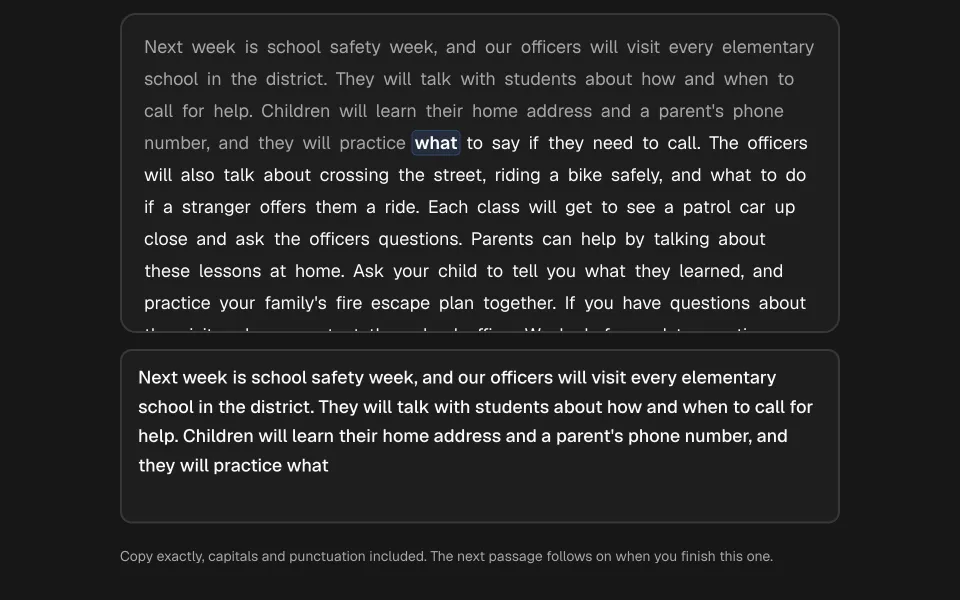
CritiCall Keyboarding
Copy mixed-case paragraphs word for word for five minutes, scored in net words per minute with your accuracy beside it. Capitals and punctuation count, and the published agency bars run from about 27 to 35 words per minute.
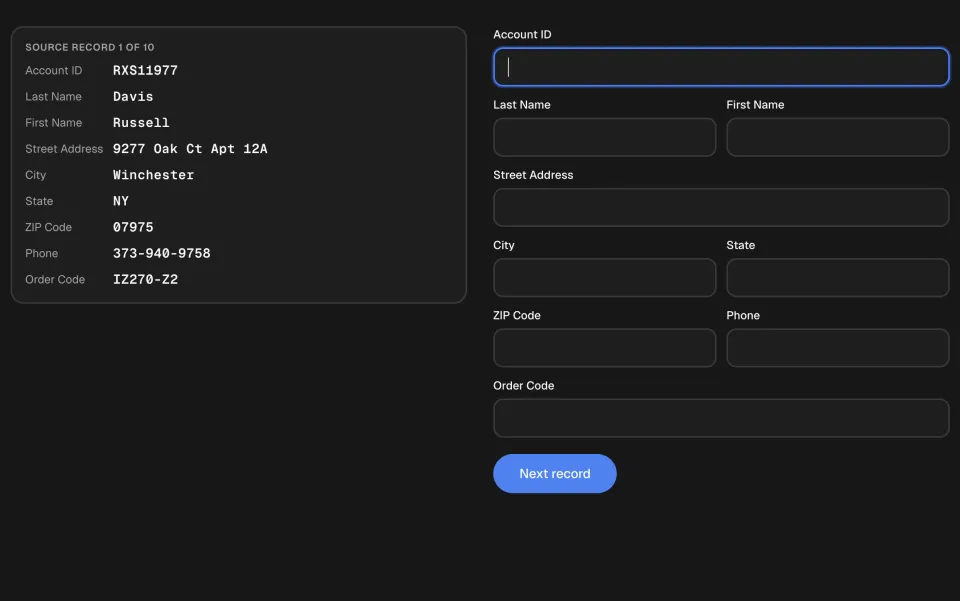
Data Entry Alpha Numeric (Prove It)
Copy ten customer order records, with account codes, names, addresses and phone numbers, into a database form. Scored as the Kenexa report does: keystrokes per hour and field accuracy, with no time limit and the elapsed time recorded.
CritiCall Data Entry
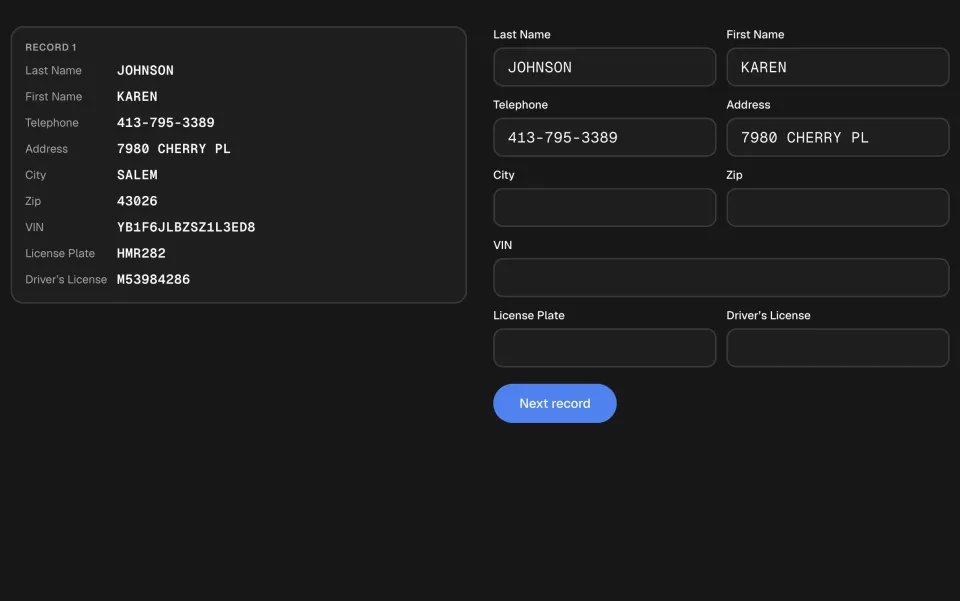
Copy caller records (names, phone numbers, addresses, VINs, plates and licences) into CritiCall’s nine-field form while emergency messages interrupt you. Scored in keystrokes per hour, which Florida Highway Patrol used as a stand-alone pass or fail hurdle.
What Typing and Data Entry Measures
Speed
Words per minute when you copy a passage, keystrokes per hour when you fill in records. A standard word is five keystrokes, spaces included.
Accuracy
Every vendor counts errors. Harver takes mistyped words off your speed, Kenexa reports mistakes per minute beside an adjusted speed, and data entry tests report the share of fields you typed correctly.
Copying exactly
Capitals, punctuation and numbers count. A Harver sentence will not pass until it matches, and a data entry field with one wrong character is a wrong field.
Question Formats
Passage copy-typing
A block of text retyped against the clock. Kenexa Typing General runs for 1, 3 or 5 minutes; CritiCall Keyboarding gives you written paragraphs to copy word for word.
Sentence by sentence
Harver shows a sentence with a box beneath it. The timer starts when you click into the first box, and each sentence must match before you can go on.
Alphanumeric data entry
Names, addresses, numbers and codes copied from a record into form fields: Kenexa Data Entry Alpha Numeric and CritiCall Data Entry. Scored in keystrokes per hour and accuracy.
10 key data entry
Numbers only, typed on the number pad into a simulated spreadsheet: Kenexa Data Entry 10 Key. Scored in keystrokes per hour and accuracy, like the alphanumeric test.
How to Prepare
Know your baseline
Time yourself on a few minutes of copy typing before anything else. Many employers are reported to ask for at least 40 words per minute.
Fix errors as you go
A mistake fixed at once costs a second. One left in costs speed, a mark against your accuracy or a whole field.
Use a real keyboard
These tests are built for a desktop or laptop, and Harver will not run on a phone. A phone keyboard measures the phone, not you.
Tab between fields
On a data entry test, Tab moves to the next field without leaving the keyboard. Reaching for the mouse lowers your keystrokes per hour.
Frequently Asked Questions
What is a pre-employment typing test?
A short test of how fast and accurately you type, set for administrative, data and dispatch roles. You copy a passage or a set of records, and your score is your speed with your errors taken into account.
What is a good typing speed for a job?
It depends on the employer. 40 words per minute is reported as a common minimum and typing-heavy roles are reported to ask for 60 to 80. Harver’s average candidate scores 38 net words per minute, and one dispatch agency asked for 35 at 80% accuracy.
What is KPH on a data entry test?
Keystrokes per hour: the characters you type, scaled to an hour. For the Kenexa data entry tests, 8,000 KPH for alphanumeric records and 10,000 for 10 key, both above 95% accuracy, are reported as common minimums.
Can I take a typing test on my phone?
Usually not, and you should not want to. Harver requires a desktop or laptop, and on any of these tests a phone keyboard gives you a lower score than your real speed.
Provider guides
Ready to start practising?
Real time limits on every test. Start with the free tests, then unlock the providers you need with a one-time payment.